

Free · No account required to start
Scripture, one verse at a time.
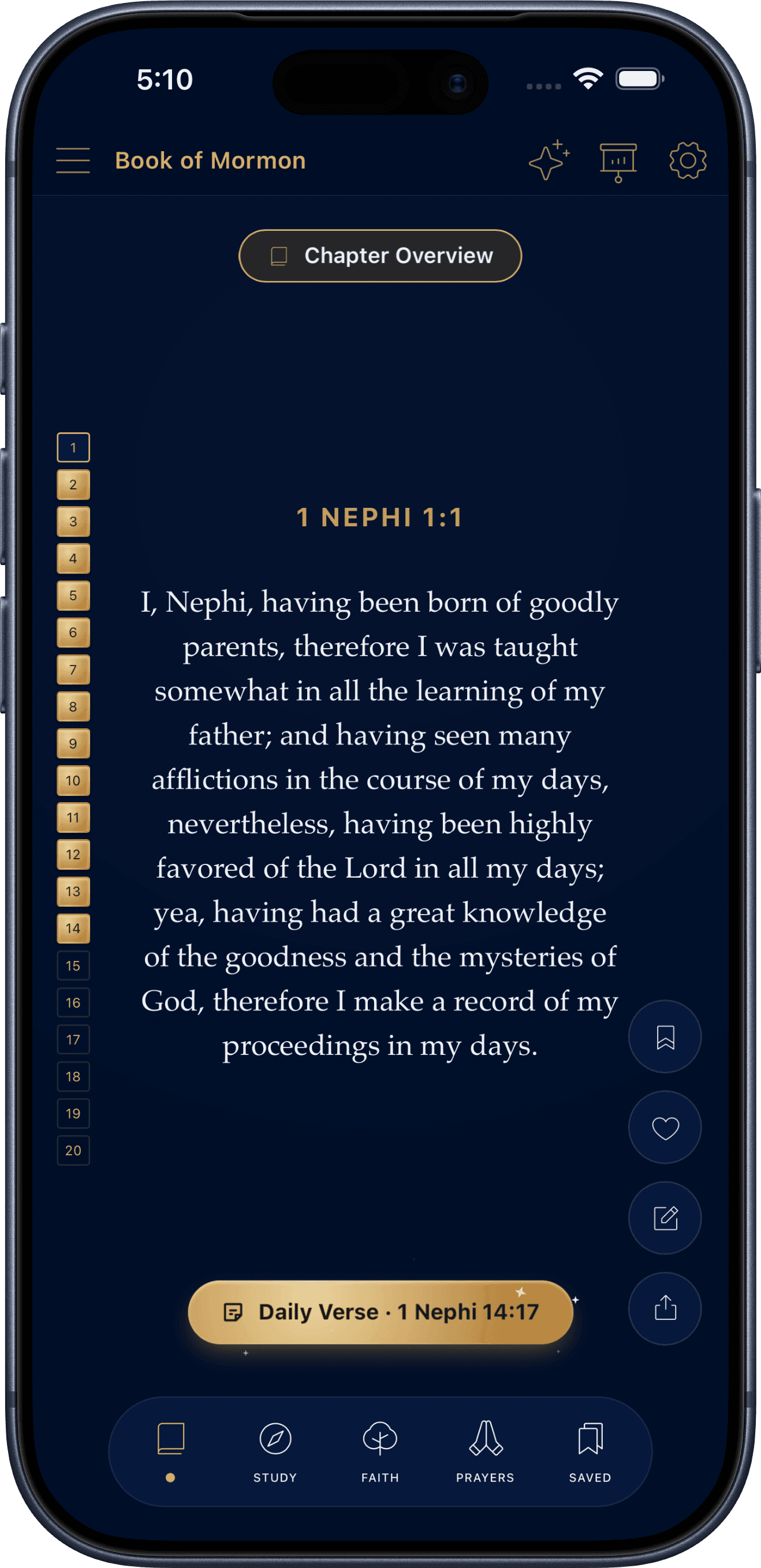
A one-verse-at-a-time scripture reader for the Book of Mormon and all five LDS standard works. Swipe through verses, save what speaks to you, follow a Study Plan at your own pace, trace how the scriptures connect, tour the people and places of scripture, grow a mustard-seed Faith tracker, and pray for others in a shared prayer room.
Phone & tablet
A native app for iPhone, iPad, and Android phones and tablets, from one codebase.
Works offline
Reading, saving, reading plans, and the Faith tracker need no connection.
Account is optional
Start using the app right away — sign in later only if you want to.
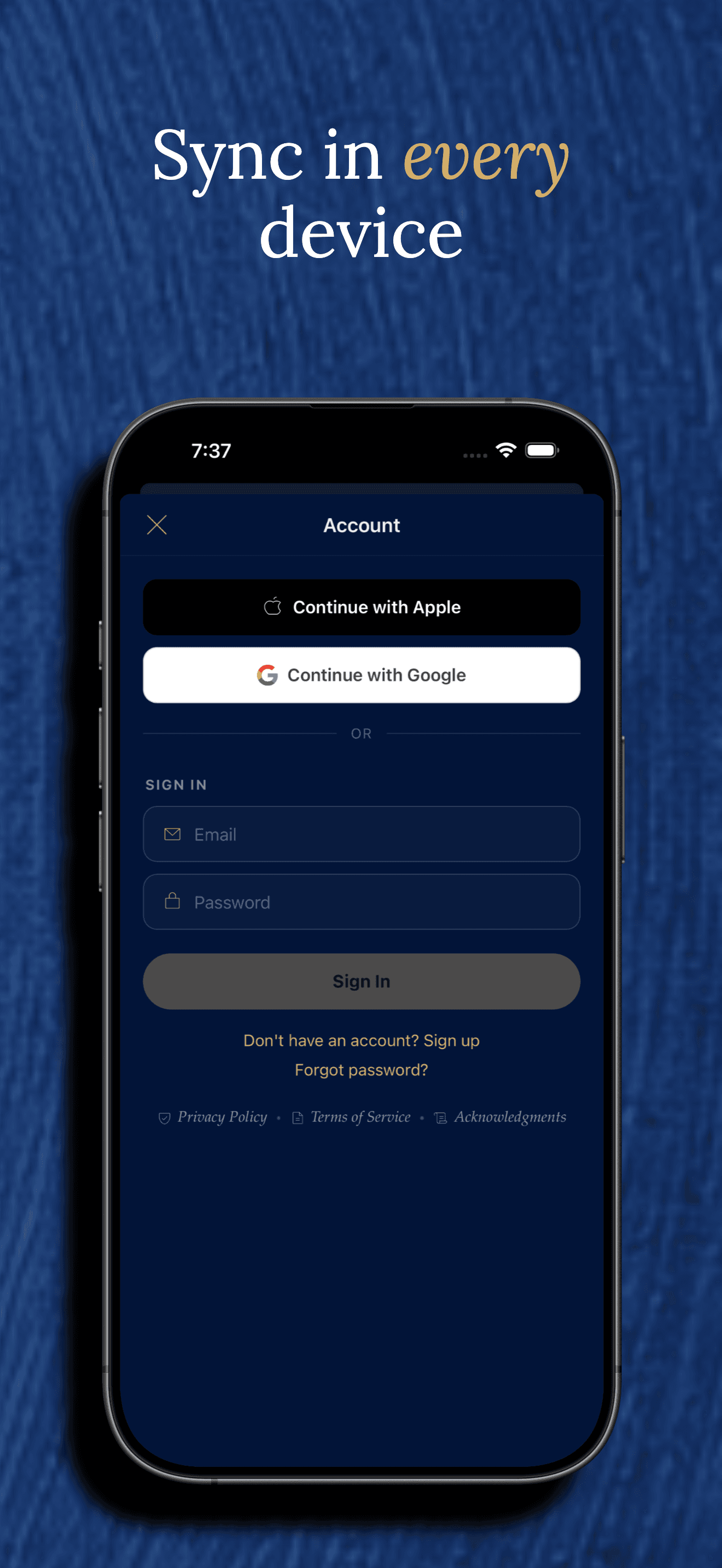
Cross-device sync
Sign in and your progress follows you to every device automatically.
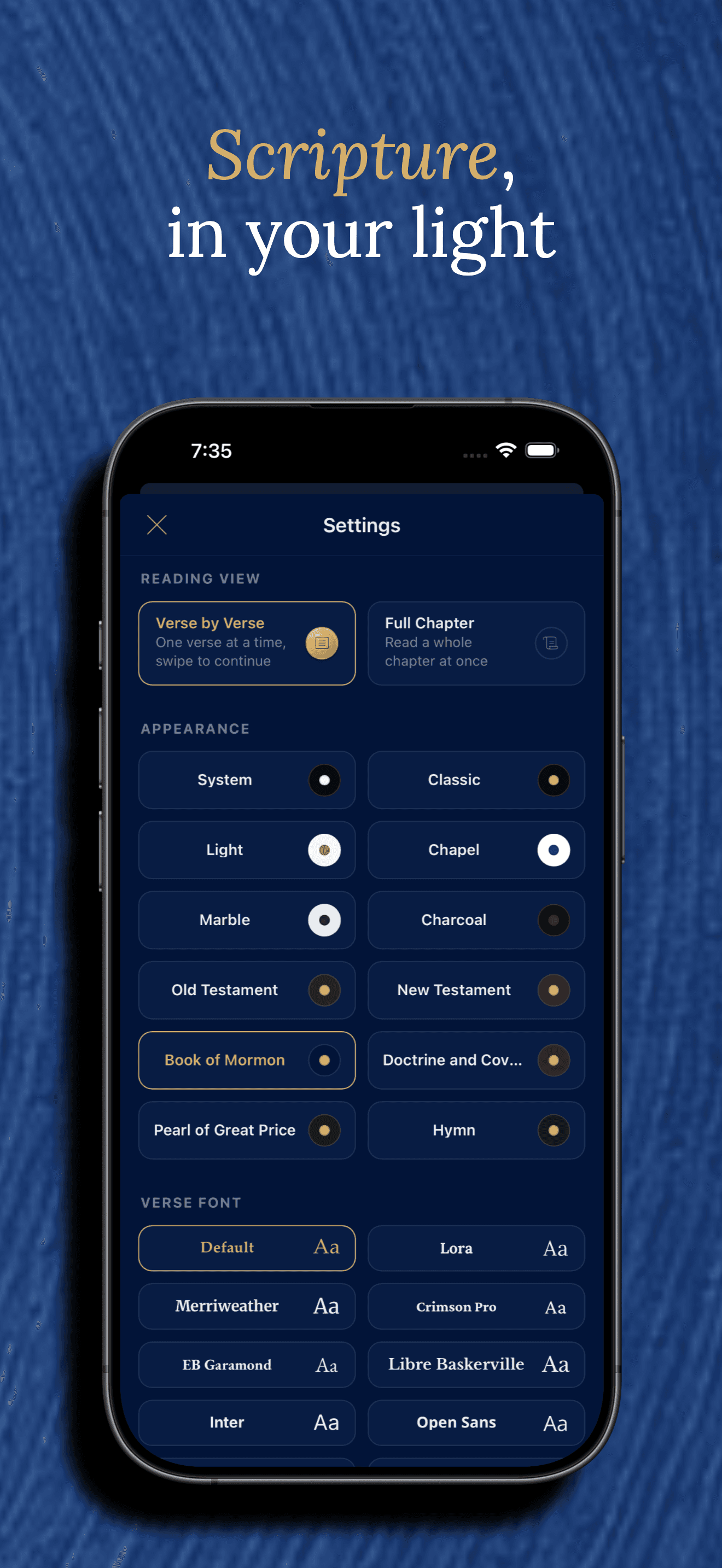
Personalize the reading
12 themes and 10 verse fonts, from parchment-light to volume-inspired dark themes.
No ads in the app
No advertising SDKs and no third-party analytics or ad trackers in the app.
Features
Everything you need to actually keep reading
Organized the way you'll actually use it — not one giant list.
Core Experience
What you’ll use every time you open the app.
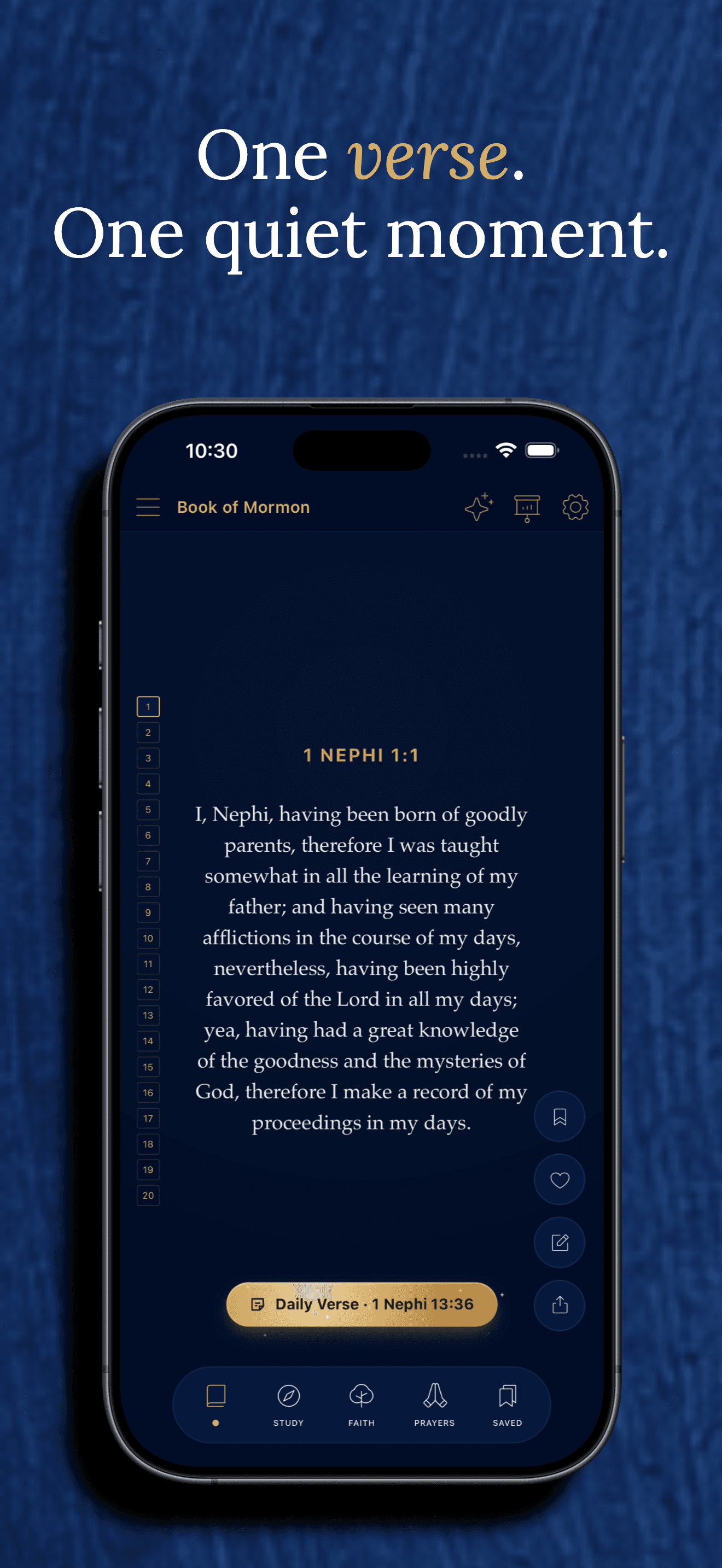
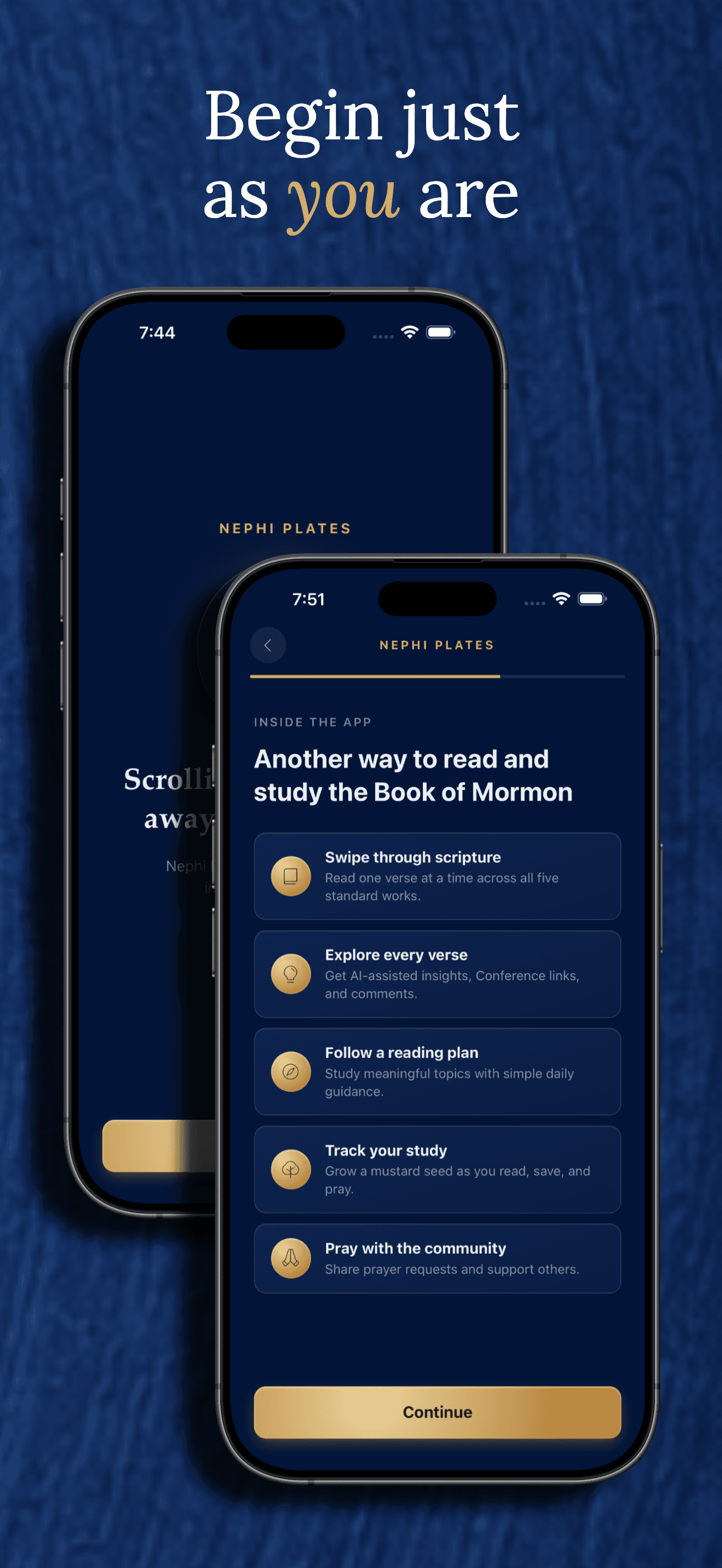
One verse at a time
Swipe, scroll, or use gesture-based momentum to move through the Book of Mormon, Doctrine and Covenants, Pearl of Great Price, Old Testament, and New Testament — one verse per screen.
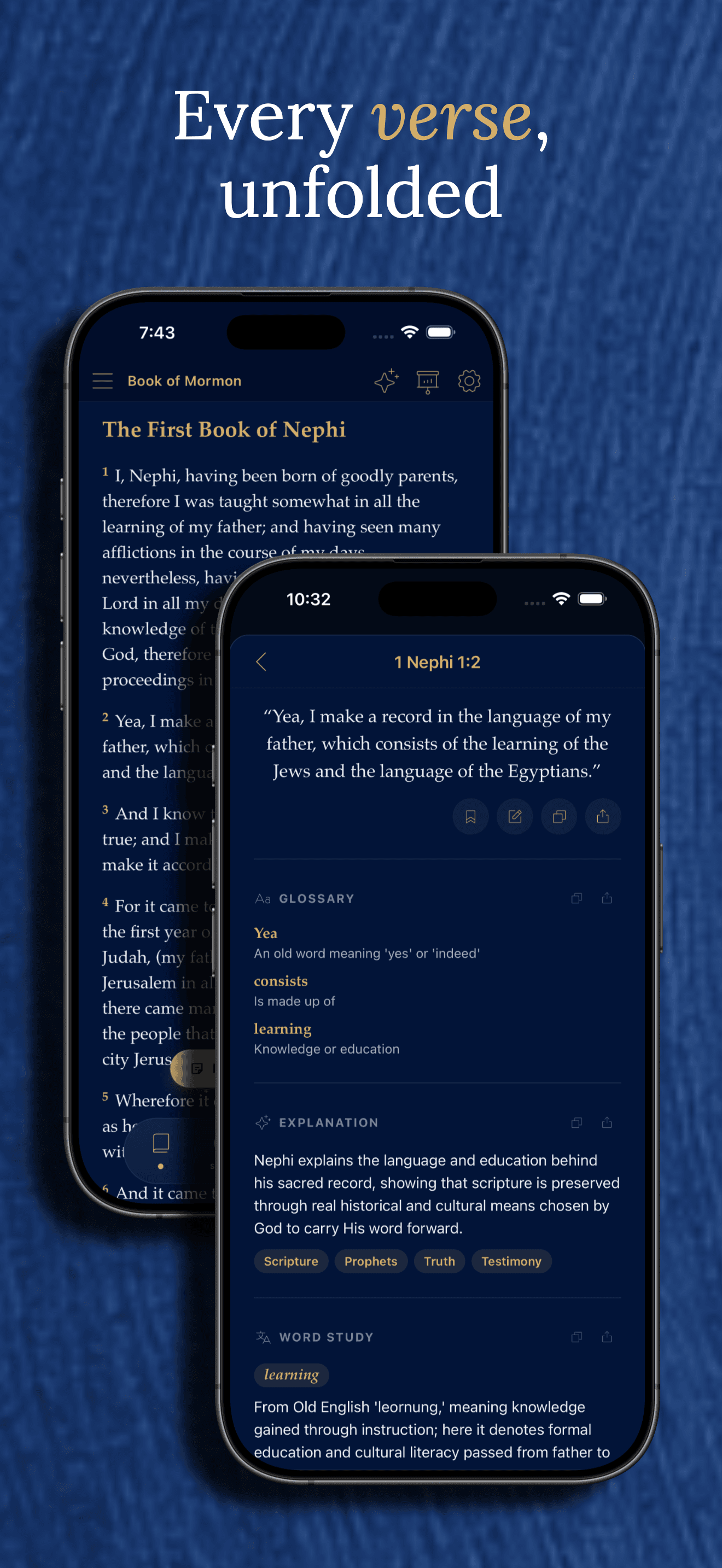
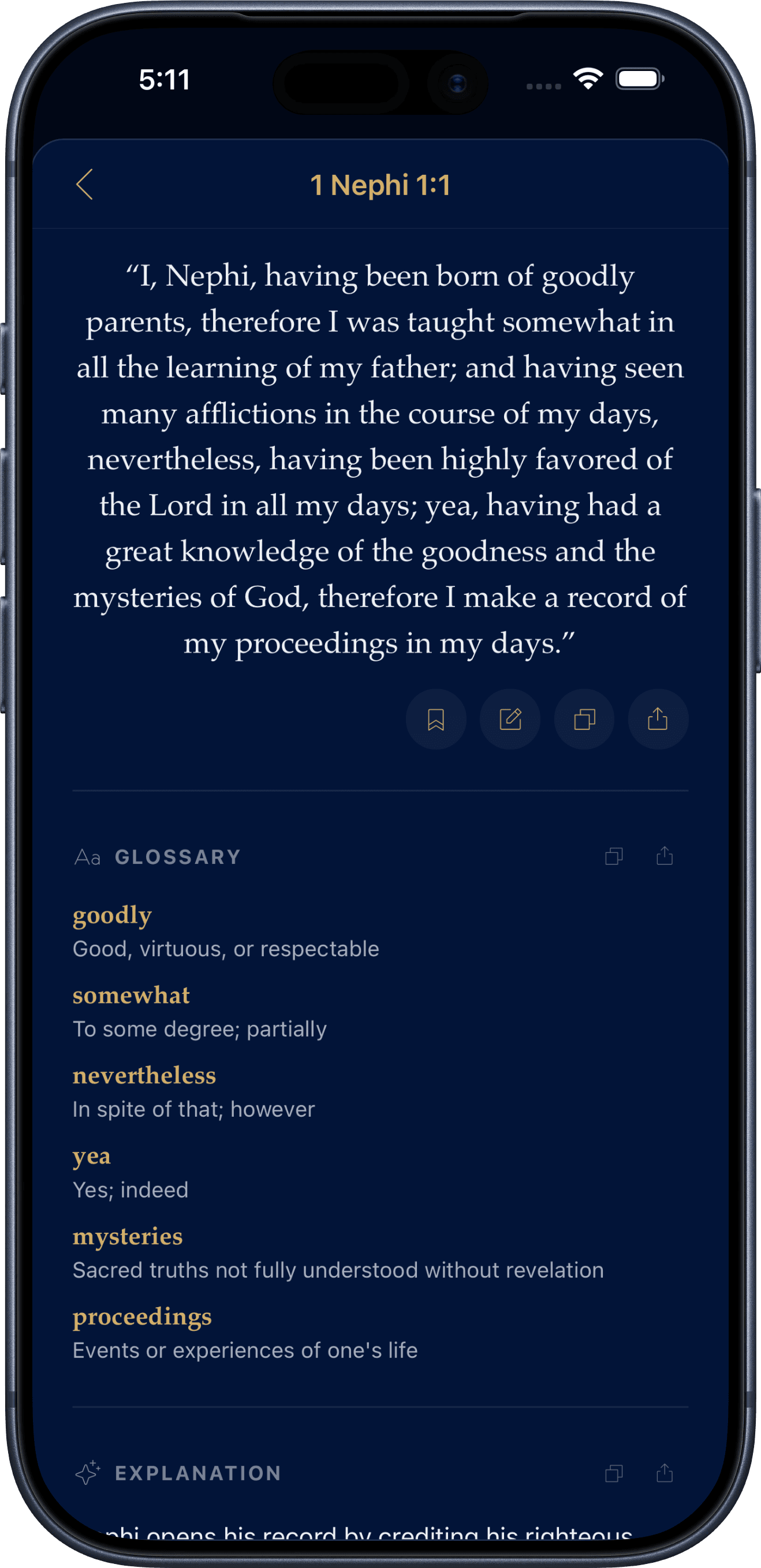
AI-assisted verse study
Tap any verse for a plain-English glossary, historical context, word studies, discussion questions, and more — generated once per verse and shared by everyone, never tied to you. Clearly labeled as AI, offered as a study aid.
Reading streaks & progress
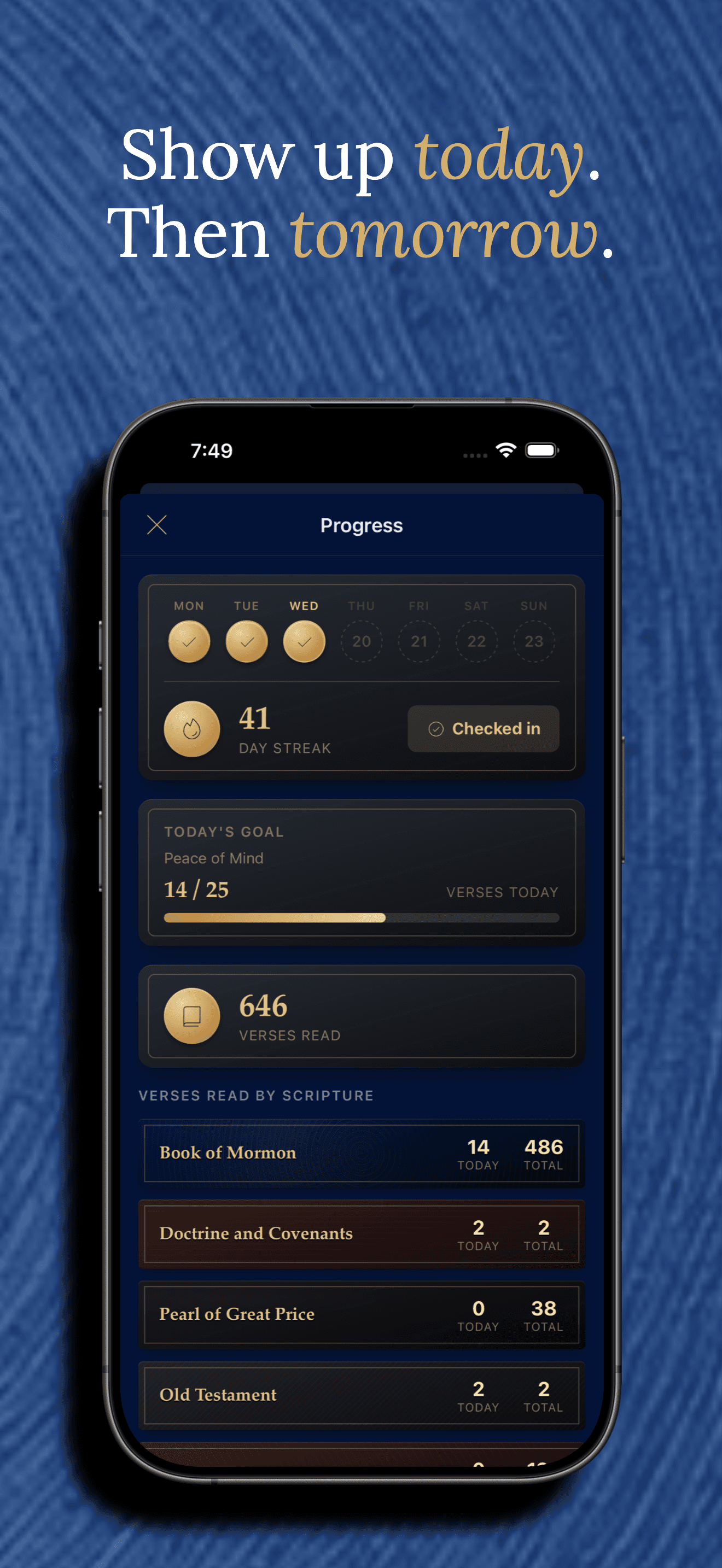
Daily check-ins, a current streak, and verses read today and lifetime per volume — tracked automatically as you read.
A daily verse with a weekly rhythm
A hand-picked Book of Mormon verse each day, themed by weekday — Jesus Christ on Tuesday, faith on Wednesday, prayer on Thursday, and so on — the same verse for everyone, offline.
Full Chapter view
Prefer a page? Switch Reading View to Full Chapter for a whole chapter at once, with your choice of text alignment.
Discover & Explore
Finding your way around five volumes of scripture.
Full-text search
Search across all five volumes at once, with per-volume filters to narrow results to exactly the book you’re thinking of.
Jump anywhere
Drill down Volume → Book → Chapter from a navigation modal, or use the chapter minimap to jump to any verse in the chapter you’re already reading.
Real General Conference links
Verses cited in General Conference talks show real, mechanically-extracted links to those talks — sourced from each talk’s own footnotes, never a model’s guess.
Connection: the whole canon in one picture
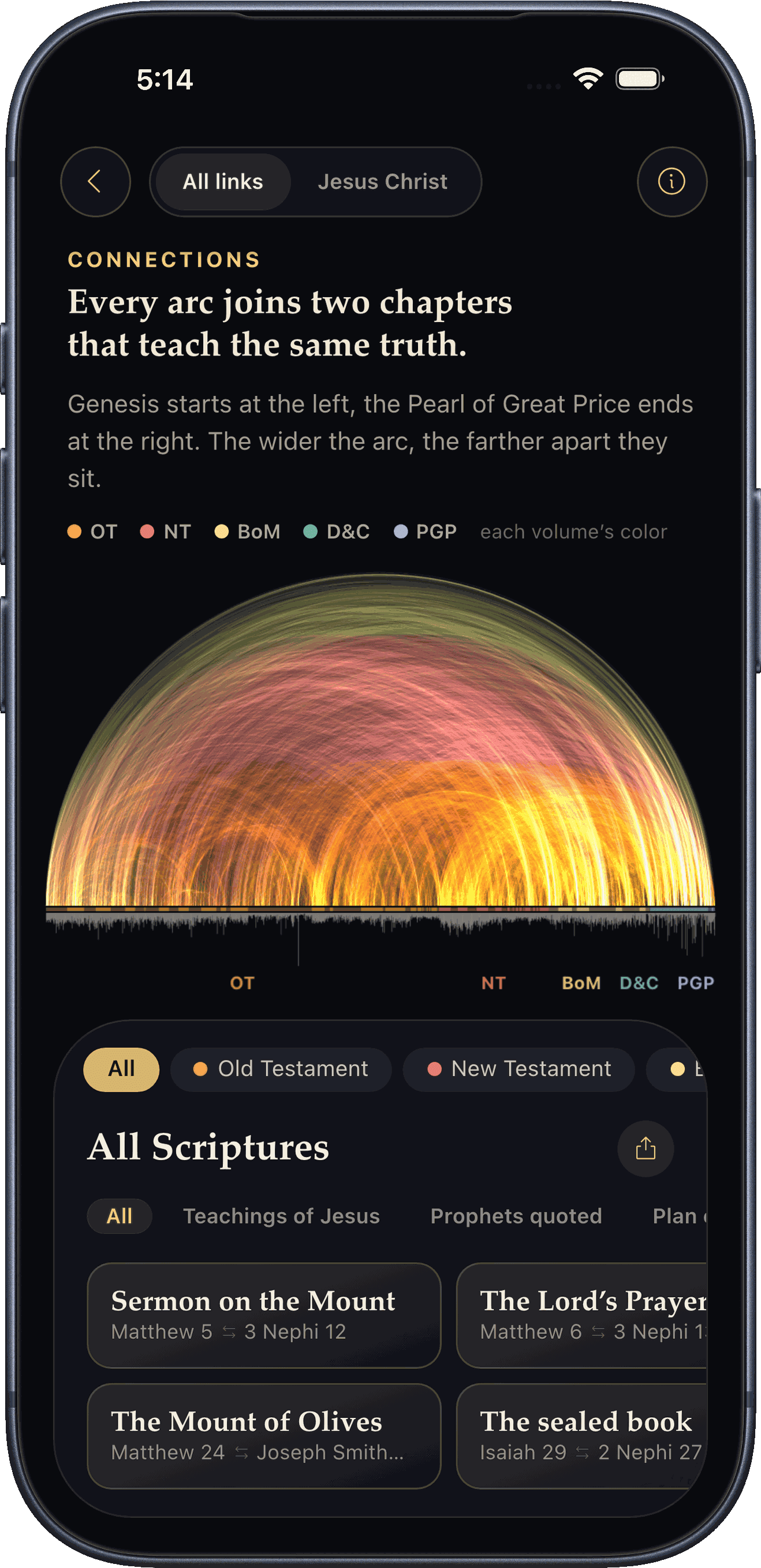
Every chapter of all five volumes laid end to end, with about 70,000 arcs joining chapters that teach the same truth. Pick a volume or book, zoom into a chapter, switch to a Jesus Christ lens, open the verse pairs side by side, and share the chart as an image.
Works with Gospel Library
Open any verse in Gospel Library with one tap, or share a verse from Gospel Library into Nephi Plates to see its study notes.
Scripture Tour
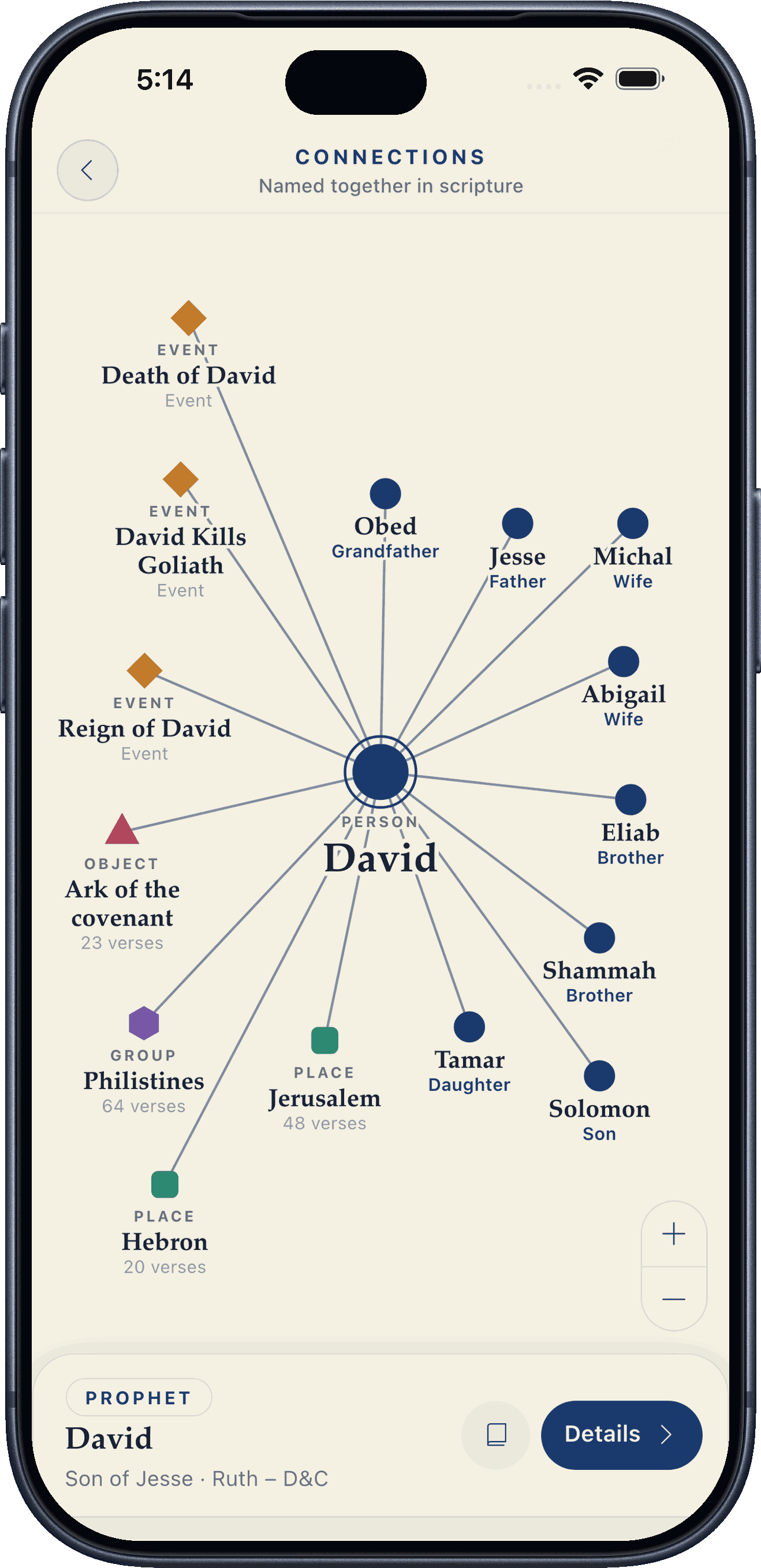
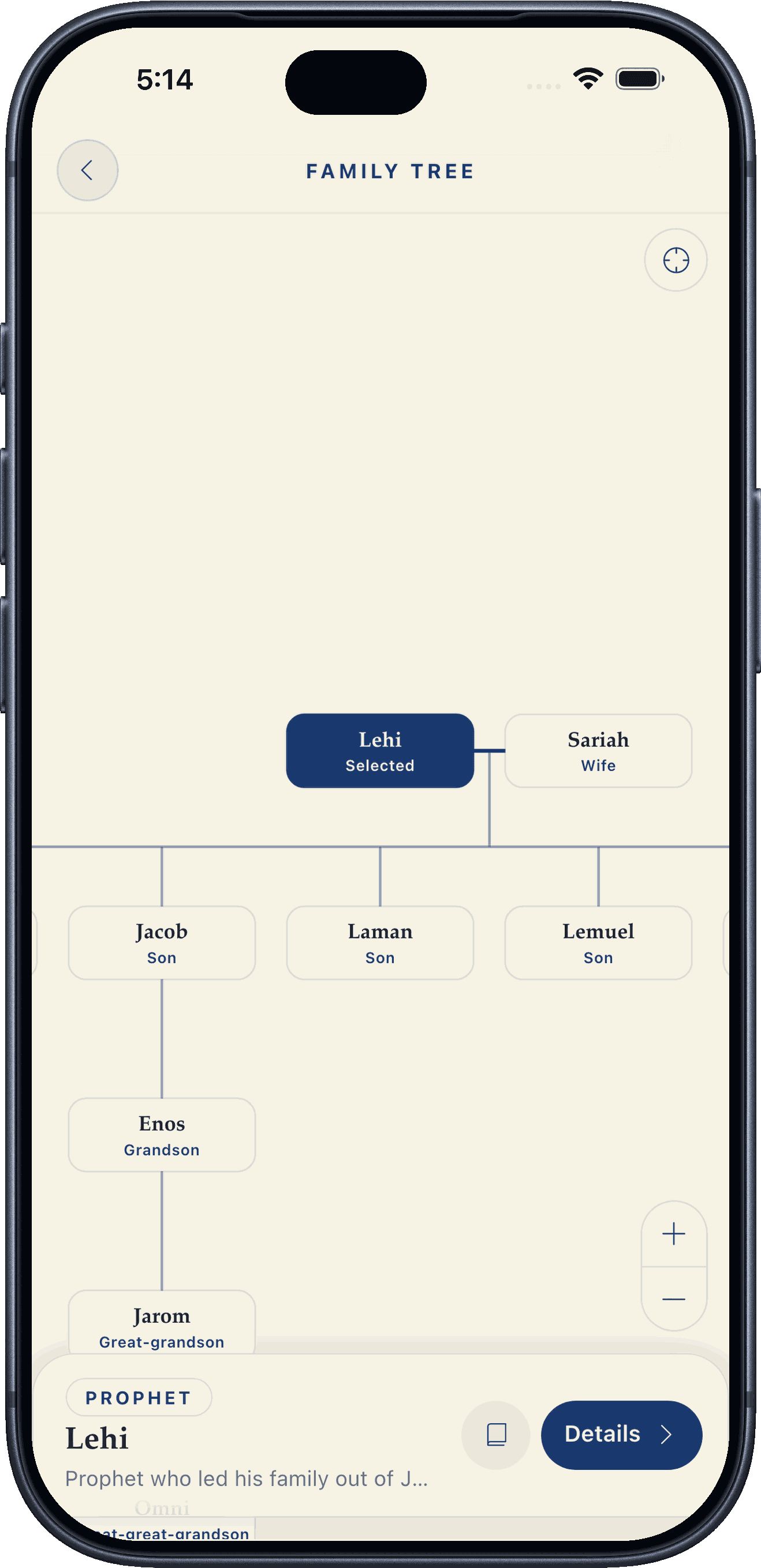
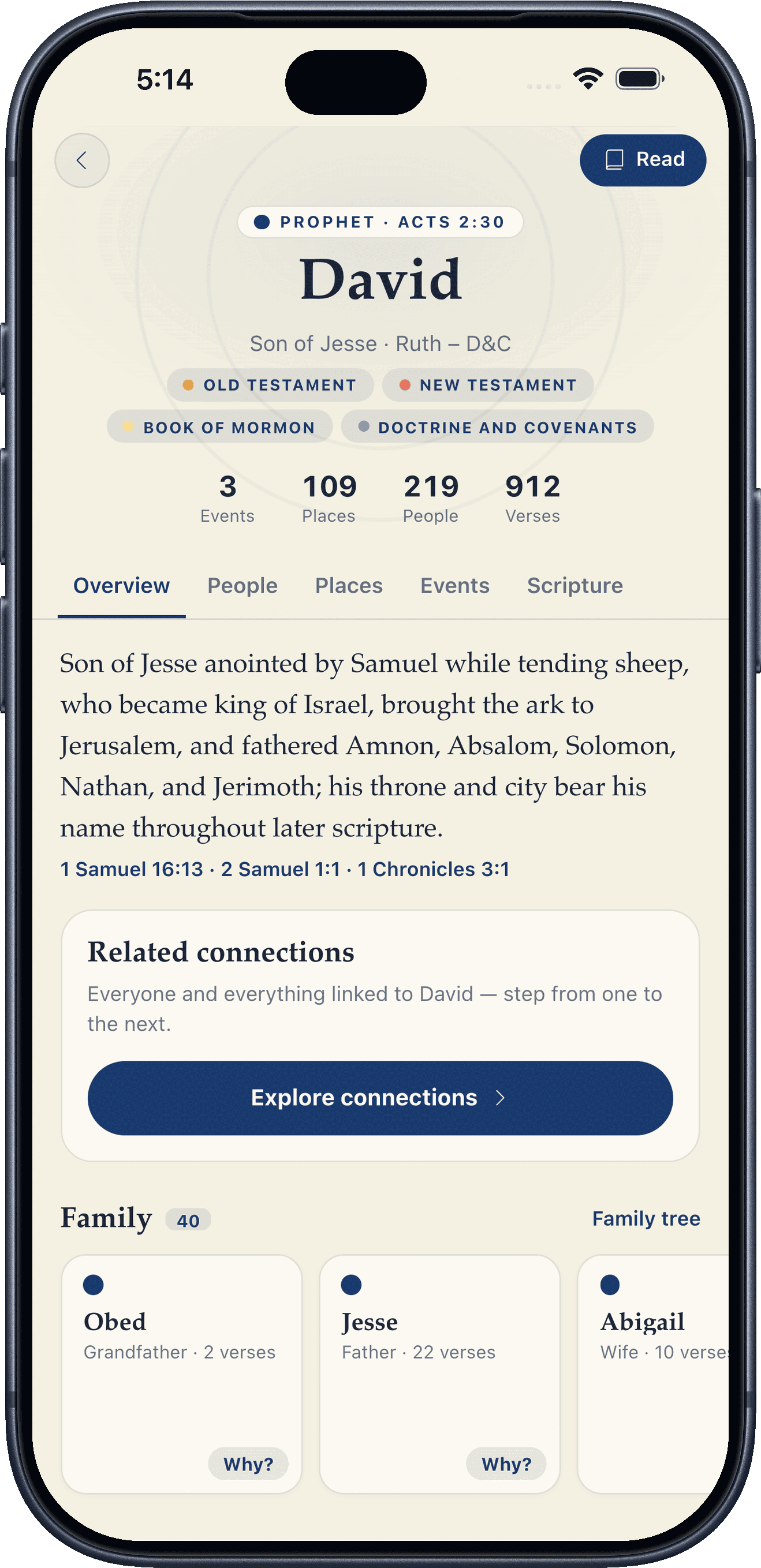
A page for every person, prophet, place, event, people group, and sacred object named in scripture, with family trees, a connection map, and a page devoted to Jesus Christ — every family link backed by the verse that states it. Bible data from Theographic Bible Metadata (CC BY-SA 4.0).
Save & Organize
Keep track of what matters to you as you read.
Save & tag verses
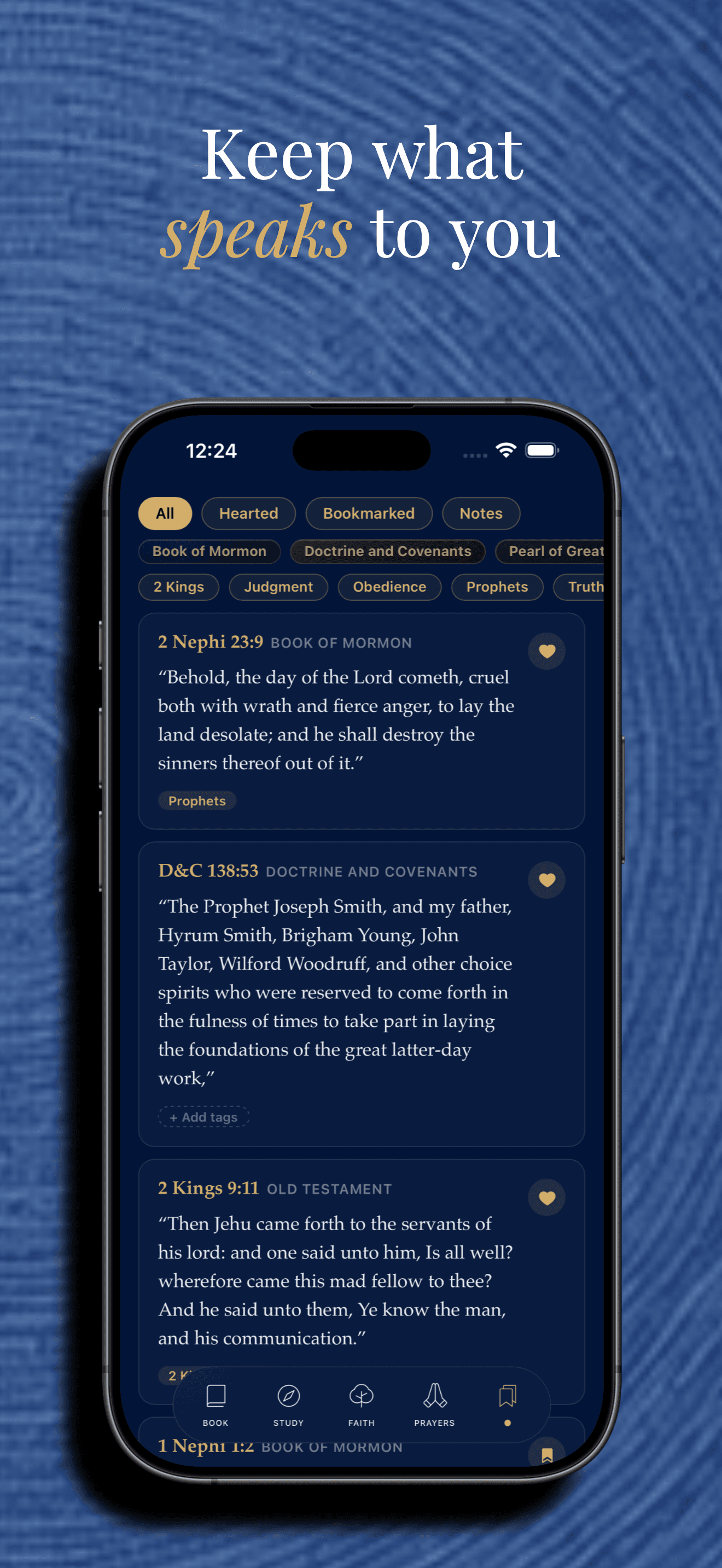
Bookmark any verse to revisit later, and add your own tags to organize your saved collection.
Favorite verses
Heart a verse to mark it as a favorite, separate from your saved list.
Highlight scripture
In Full Chapter view, press and drag to highlight any words — down to the letter — and find every highlight again in Saved.
Personal notes
Keep your own private notes on a verse — separate from the public comments other readers can see.
Study Plans that fit your pace
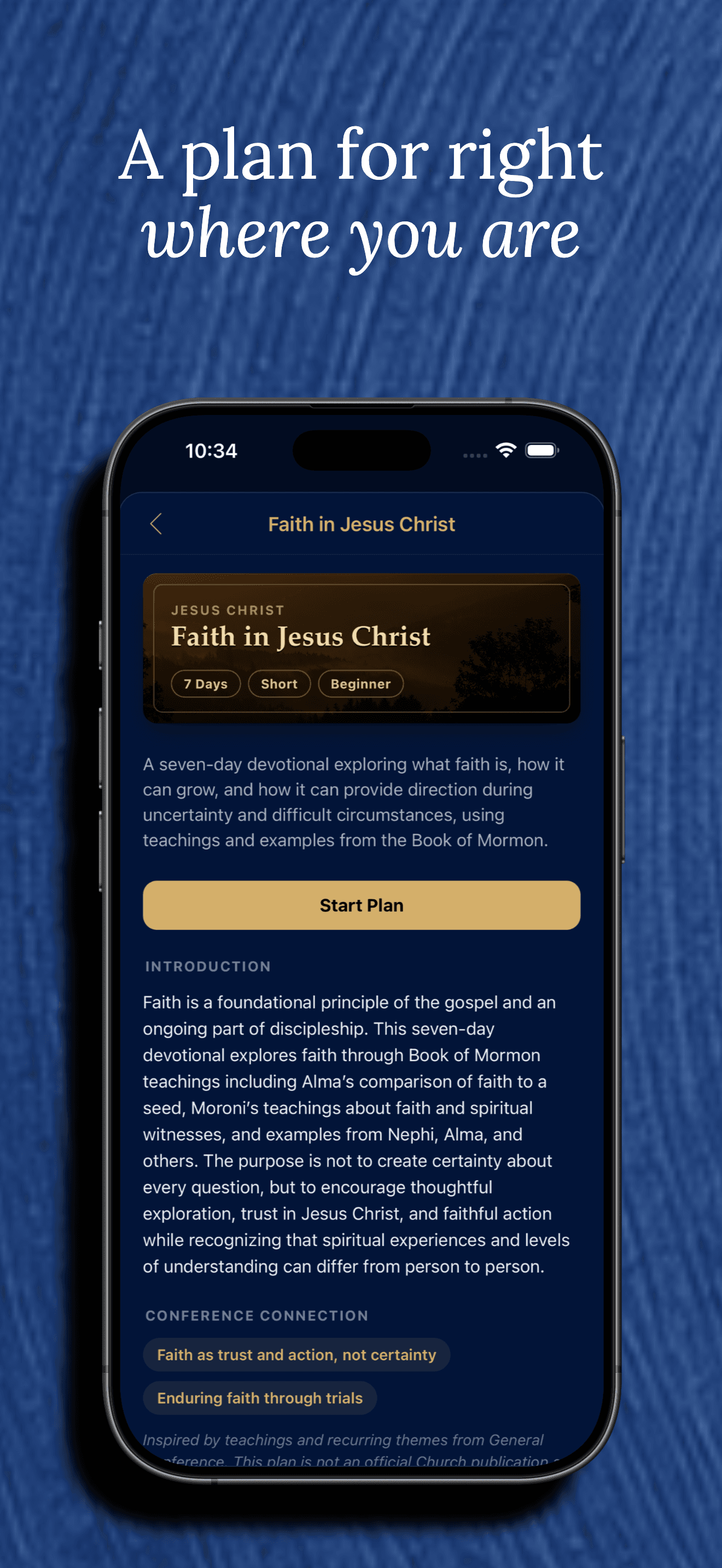
Study a book, a volume, or a custom range by a finish date, minutes a day, or chapters a day — or follow a guided plan. Today shows exactly what to read, and a missed day is gently spread over the days ahead instead of doubling tomorrow.
Personalization
Make the reading experience feel like yours.
12 themes
Each in its own light and dark version — from Classic, Notes, and Chapel to volume-inspired themes like Book of Mormon and Doctrine and Covenants — with System, Light, or Dark appearance.
Daily goal & reminder
Choose how much to read each day, from one verse to a chapter or more, and an optional gentle reminder in the morning, midday, or evening.
10 verse fonts
Serif choices like Lora, Merriweather, and EB Garamond, plus sans-serif options like Inter and Lato — sized so switching fonts doesn’t change your perceived reading size.
Animation, music & haptics toggles
Turn the word-by-word verse reveal, background music, sound effects, and haptic feedback on or off individually.
Built for iPad and tablets
Full Chapter reading view gets a multi-column, newspaper-style layout, Saved and Study lay out as a Pinterest-style masonry grid, and opening a verse or chapter’s full study docks it in a panel next to what you’re reading in landscape — not a stretched-out phone layout.
Account & Sync
Nephi Plates works fully offline with no account. Signing in is optional — and only needed for a specific set of features.
Sign in your way
Apple, Google, Facebook, X (Twitter), or email and password — your choice.
What requires an account
Posting a prayer request, marking that you prayed for someone, leaving a note, commenting on a verse, and keeping personal verse notes all require signing in. Browsing Prayers and reading comments never do.
What syncs when you sign in
Your saved and favorited verses, reading position, read history and streak, Faith stats, and settings sync continuously across every device signed into your account — no manual step.
Works with no account
- Reading all five volumes
- Saving, tagging, and favoriting verses
- Full-text search
- Reading plans and their progress
- Daily check-ins and streaks
- The Faith growth tracker
- Browsing Prayers and reading verse comments
Requires a free account
- Posting a prayer request
- Marking that you prayed for someone
- Leaving a note or commenting on a verse
- Keeping private notes on a verse
- Syncing your progress across devices
You can sign out at any time, and permanently delete your account and everything tied to it from Account → Delete Account — see our Account Deletion page.
How it works
From download to daily habit
- 01
Download the app
Free, on iOS and Android — no account needed to get started.
- 02
Start reading
Jump into any of the five standard works, one verse at a time.
- 03
Save & personalize
Bookmark verses, follow a Study Plan, and grow your Faith tracker — still no account.
- 04
Sign in when you want more
Create a free account to post in Prayers, comment, and sync across devices.
See it for yourself
A look inside the app
Real screens from the app, not staged mockups. The same experience on iPad and Android tablets, just with more room to breathe.
Verse detail
Study tools behind every verse
Tap any verse to open a glossary of archaic words, historical context, word studies, symbolism, discussion questions, and more — plus real General Conference talk links and public comments.
- Generated once per verse and shared by everyone — not built from your own data
- General Conference links come from real talk footnotes, never a model’s guess
- Clearly labeled as AI-assisted; offered as a study aid, not official doctrine
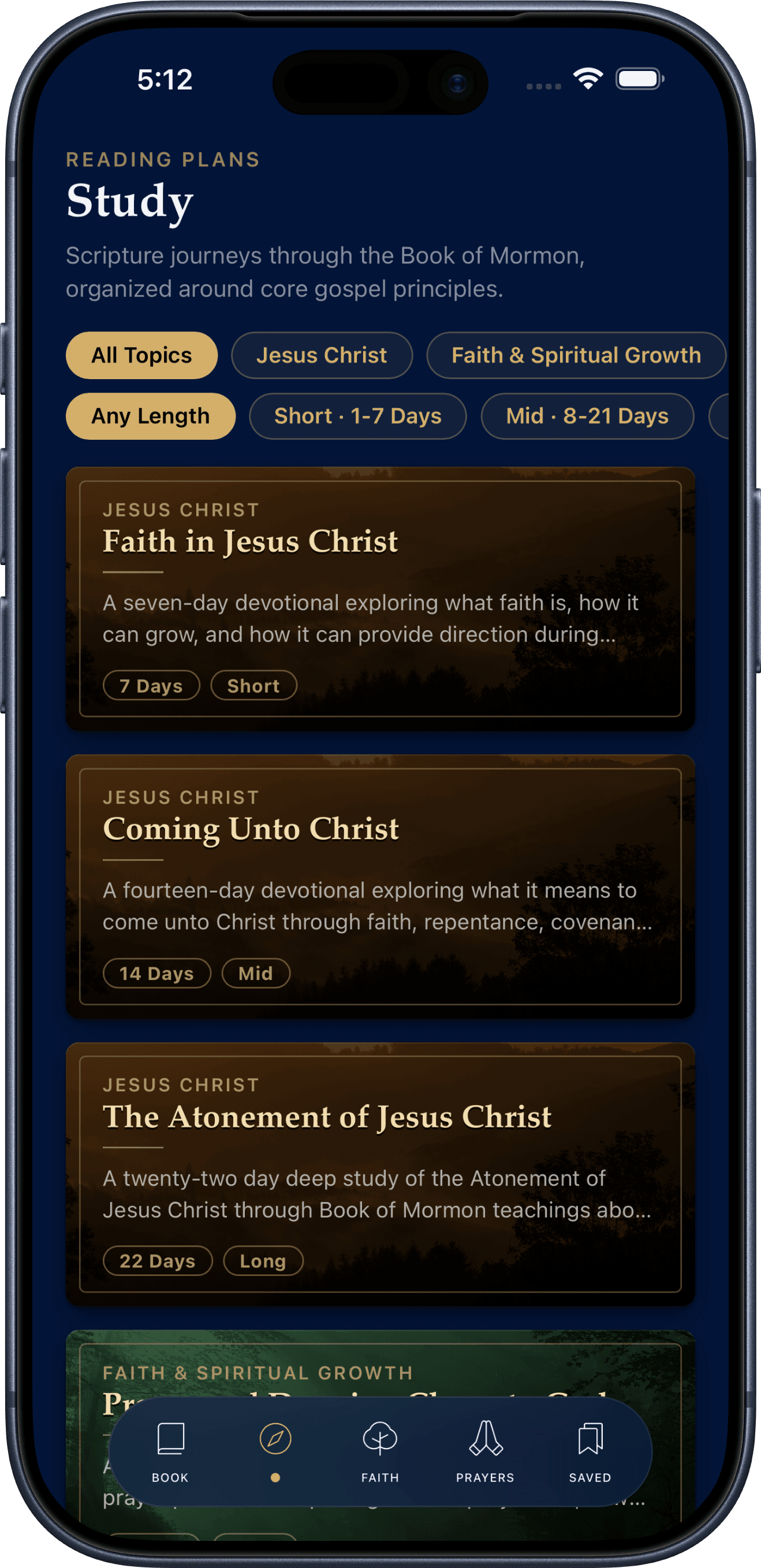
Study
Study Plans that fit your day
Study a book, a volume, all the standard works, or your own range of chapters — finish by a date, read a few minutes or chapters a day — or follow one of 14 guided plans that pair each day’s passage with an explanation, a reflection, and an application.
- Today shows the exact passage and about how long it takes
- Miss a day and the rest is gently rebalanced — never a doubled tomorrow
- Works fully offline; syncs your progress automatically once you sign in
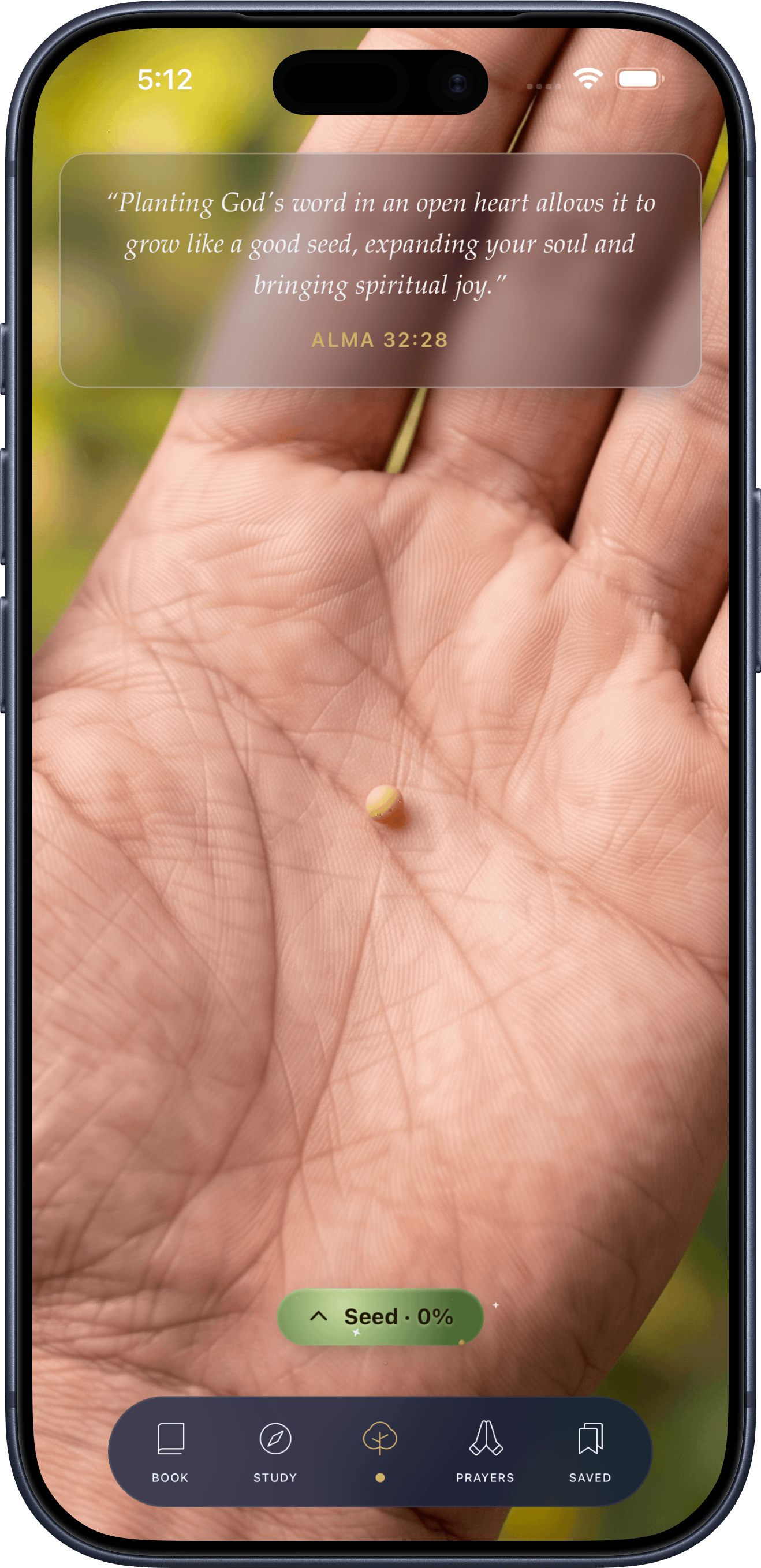
Faith
A growth tracker rooted in the text itself
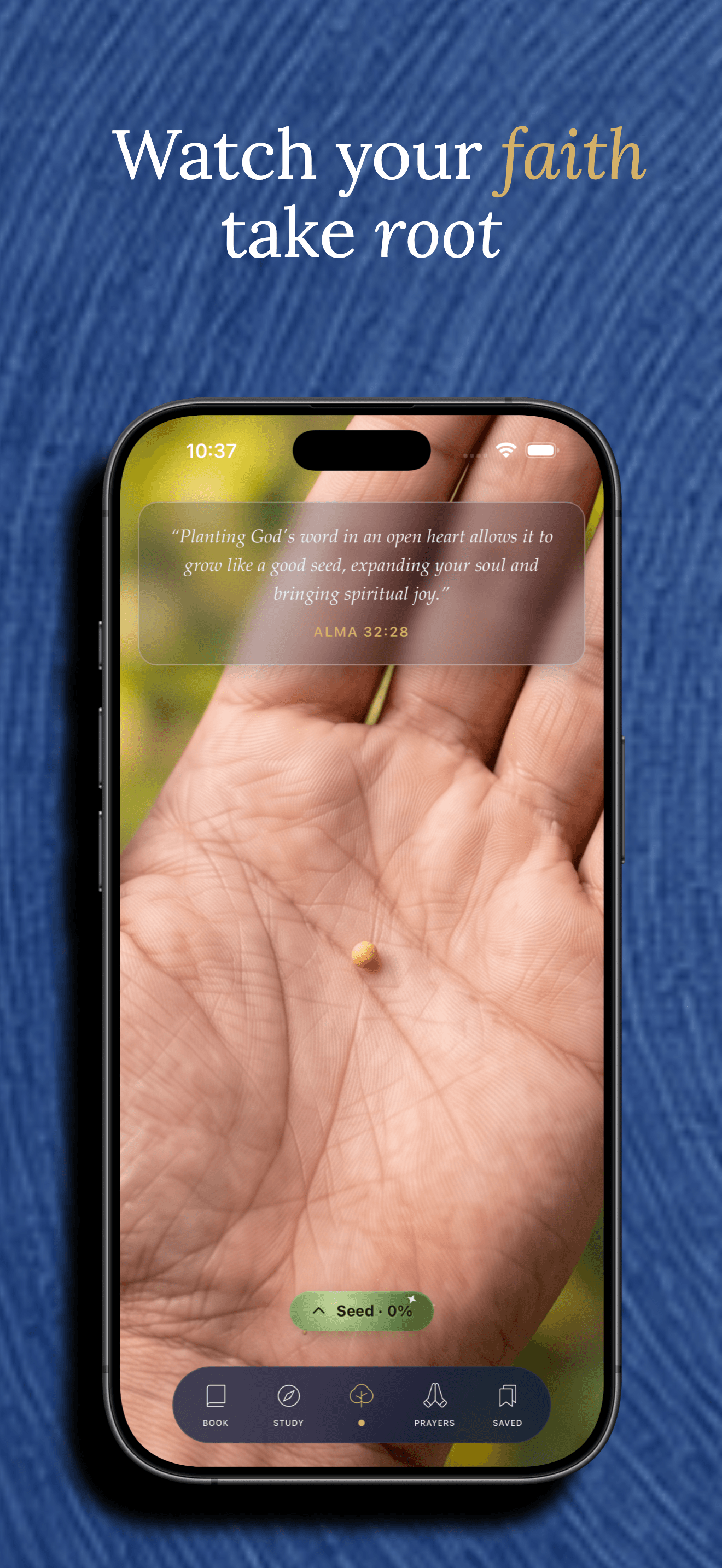
Watch a mustard seed grow into a full tree as you read, save verses, and pray — a visual built around Alma 32’s “experiment upon the word,” with every stage anchored to a real verse.
- Rewards showing up regularly, not just doing everything in one sitting
- A simple daily checklist explains exactly what to go do next
- Works fully offline; no account required
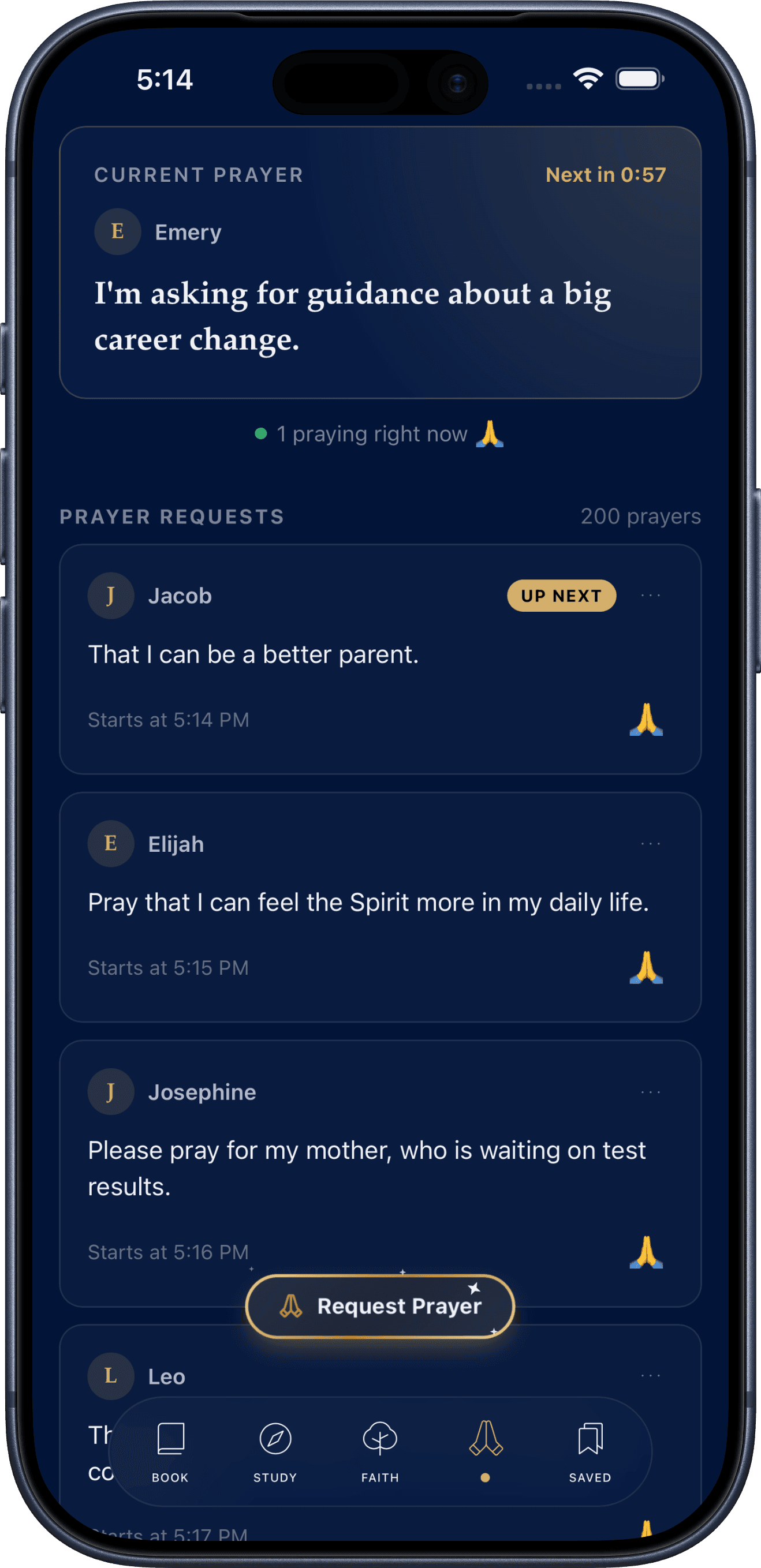
Prayers
A quiet, shared prayer room
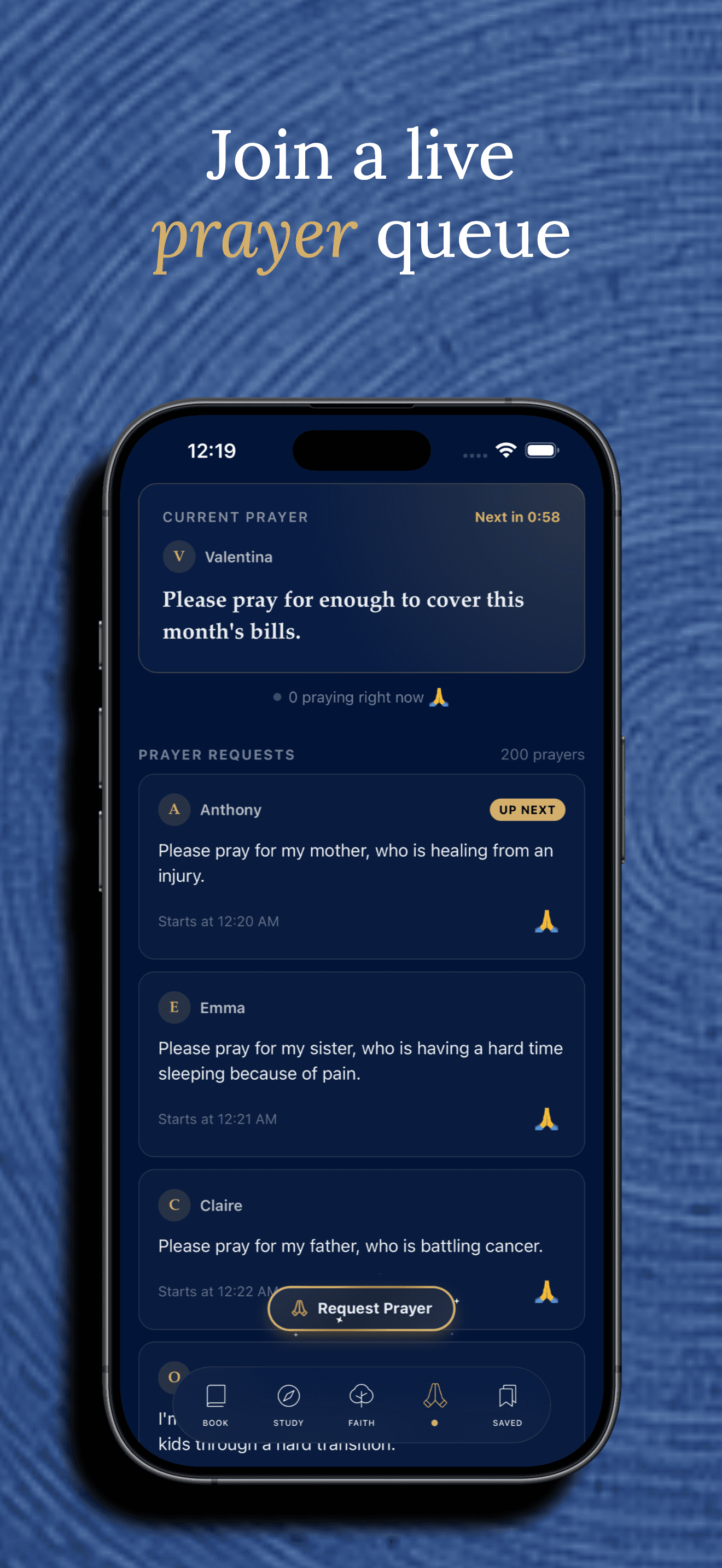
One prayer at a time, the same one for everyone — read it and pray. Each request takes its turn in the room, then stays in the Requests directory for 90 days, where you can find it again and see when a prayer is answered.
- Browsing prayers is open to everyone, no account required
- Posting, praying for someone, or leaving a note requires a free account
- Edit or delete anything you’ve posted, at any time
Connection
See how all of scripture fits together
All 1,582 chapters of the five volumes in one line, Genesis to the Pearl of Great Price, with an arc for every pair of chapters that teach the same truth. Pick a book and its links light up in the colors of the volumes they reach — then open the verses side by side.
- A Jesus Christ lens shows only the links where both verses testify of Him
- 32 “Start here” pairs, like the Sermon on the Mount in Matthew 5 and 3 Nephi 12
- Jump in from any verse, read the chapter, or share the chart as an image
Scripture Tour
The people, prophets, and places of scripture
Every person, prophet, place, event, people group, and sacred object in the five volumes has its own page — a short introduction, their family, who they appear alongside, and where — with family trees and a connection map you can step through one name at a time. Jesus Christ has a page of His own: His names and titles, His life and ministry, His genealogy, and His own words.
- Every family link shows the verse that states it; links no verse supports are left out
- Prophets, Nephites and Lamanites, the Liahona and the brass plates — each with the verses behind it
- Introductions are AI-assisted, written only from the verses that name each one and fact-checked against them
Privacy
How your information is handled
This is a plain-language summary — it doesn't replace and isn't a substitute for the full policy. Learn more about how information is handled in our Privacy Policy.
Read the full Privacy Policy- Reading, saving, and Faith progress stay on your device only, until you create an account.
- Creating an account sends your email (or the identifier your sign-in provider shares) and a display name to our server.
- Signing in syncs your bookmarks, progress, and settings to your account, stored via Supabase.
- AI-generated verse content is shared by every user and is never built from your personal data.
- No advertising SDKs and no third-party analytics or ad trackers, anywhere in the app.
- Delete your account any time from within the app — it removes everything tied to it immediately.
FAQ
Common questions
What is Nephi Plates?
Nephi Plates is a scripture reading app for the Book of Mormon, Doctrine and Covenants, Pearl of Great Price, Old Testament, and New Testament. Instead of a long page of text, it presents scripture one verse at a time — swipe, scroll, or tap to move through a chapter — alongside tools for saving and highlighting verses, following Study Plans, exploring how chapters connect across all five volumes (Connection), touring the people, places, and events of scripture (Scripture Tour), tracking a personal Faith growth tracker, and praying for others in a shared prayer room.
Is Nephi Plates free?
Yes. There is no purchase, subscription, or paywall anywhere in the app — reading, saving, reading plans, and the Faith tracker are all free with no account required.
Do I need an account to use the app?
No. Reading scripture, saving and favoriting verses, following reading plans, daily check-ins, and the Faith tracker all work fully offline with no account and no network connection at all. An account is only needed for features that involve other people or other devices — see the next question.
What works without an account?
Reading all five volumes, bookmarking, tagging, and highlighting verses, favoriting verses, full-text search, Connection and Scripture Tour, Study Plans and their progress, daily check-ins and streaks, the Faith growth tracker, browsing the public Prayers feed, reading other users’ verse comments, and every personalization setting (theme, verse font, animation/music/sound/haptics).
Why would I create an account?
An account (Apple, Google, Facebook, X, or email) unlocks posting a prayer request, marking that you prayed for someone, leaving a note on a request, commenting on a verse, keeping private notes on a verse, and continuous sync of your bookmarks, reading progress, streak, Faith stats, and settings across every device you sign into.
What information gets synchronized when I sign in?
Your saved and favorited verses, last-read position per volume, read-verse history and streak, Faith stats, daily reading goal and reminder choice, personalization settings, and reading-plan progress. Sync starts automatically the moment you sign in — there is no manual "sync now" step.
Does Nephi Plates work offline?
Yes, for everything that doesn’t require an account or involve other users. Scripture text, saving, reading plans, and the Faith tracker are stored on your device and need no connection. Once signed in, that same data is read from and written to your account instead, which does require connectivity to stay in sync (see the Privacy section above).
Is Nephi Plates available on iOS?
Nephi Plates is built with Capacitor to ship natively to iOS from the same codebase as Android. See the download section above for the current App Store link.
Is Nephi Plates available on Android?
Yes — the same codebase ships to Android via Capacitor. See the download section above for the current Google Play link.
Does Nephi Plates work on iPad or Android tablets?
Yes — it's a universal app on iOS and has no screen-size restriction on Android, so it installs and runs on tablets, with layouts built specifically for the extra space: Full Chapter reading view gets a multi-column, newspaper-style layout, Saved and Study lay out as a Pinterest-style masonry grid, and opening a verse or chapter's full study docks it in a panel alongside what you're reading (in landscape) instead of covering the screen. Not just a stretched-out phone layout.
How do I delete my account?
In the app: Account → Delete Account, behind a confirmation prompt. This permanently deletes the account and everything tied to it immediately — no need to contact support. See our Account Deletion page for the full explanation.
How do I request deletion of my data?
Deleting your account (above) deletes all of it — there isn't a separate "delete my data but keep my account" option, because account deletion already removes every row tied to your account. If you'd rather remove one specific thing (a prayer request, a note, or a verse comment) without deleting your whole account, you can edit or delete those individually from within the app.
How do I contact support?
Email support@nephiplates.com for account help, privacy questions, or to report a problem.
How is my information handled?
Read the full Privacy Policy at /privacy for what's collected, why, and how sync and account deletion work.
Does Nephi Plates use AI?
Yes, for one specific feature: tapping a verse can show AI-generated study content (a plain-language glossary, historical context, word studies, discussion questions, and similar sections). It's generated once per verse and shared with every user who opens it — not generated from or tied to your own data. It's offered as a study aid and may contain errors; it doesn't represent official doctrine of any church. General Conference talk links shown in the same screen are not AI-generated — they come from each talk's own real footnotes.
How do I report a problem?
Email support@nephiplates.com with what happened and, if possible, your device and app version — see the Support page for more detail.
